 Aleph Front
Solutions
ANOM products for B2B commerce.
Storefront, search, procurement and EDI, media, payments, SMS, security and support, with Intershop integration.
ANOM PWA
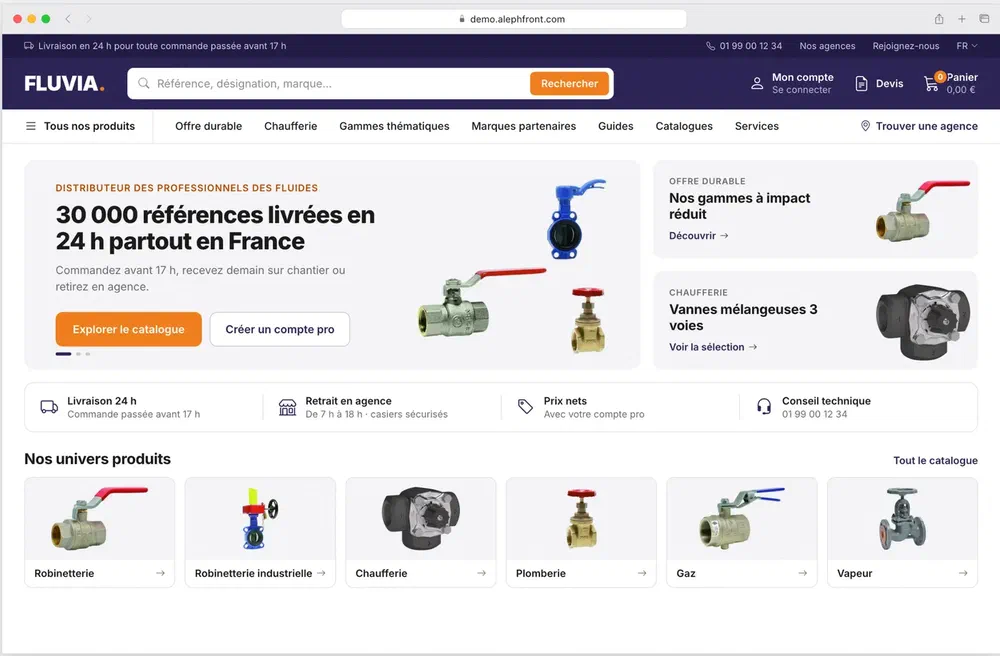
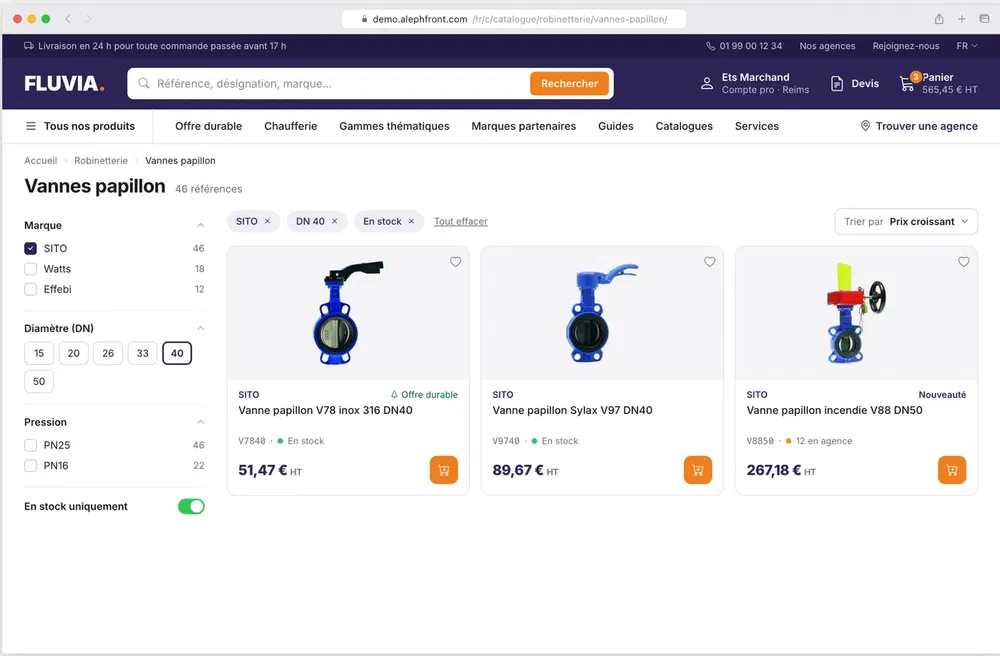
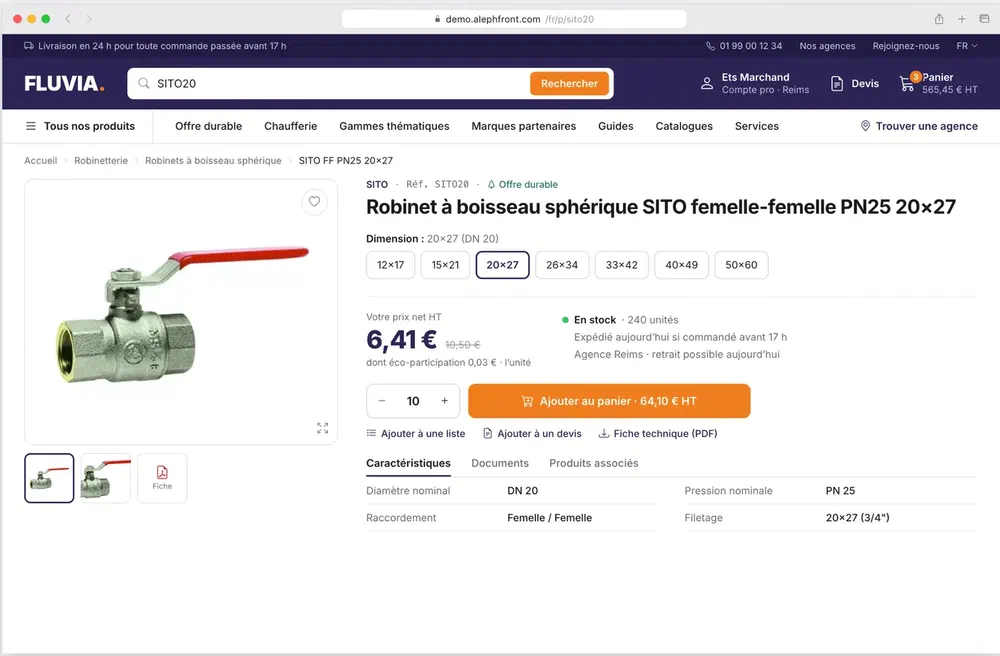
Our headless progressive web app storefront for Intershop, adapted to each client. A first storefront goes live in weeks rather than months. Tivoly's B2B sites run on it.
- Architecture
- Headless PWA on Intershop's APIs, connected through ANOM Core
- Lighthouse
- 100 in Performance, Accessibility, Best Practices and SEO on tivoly.com, in production
- In use at
- Tivoly, Peugeot Outils Professionnels, Hotel MegaStore
- Read by AI assistants
- Crawlers that do not run JavaScript, such as GPTBot, ClaudeBot and PerplexityBot, receive a complete page they can read and index. Buyers get the interactive app.
- Bots on tivoly.com
- 29% of 1,494,220 requests between 24 October and 10 November 2025, including 62,807 from ChatGPT's crawler. Published with Tivoly's permission.
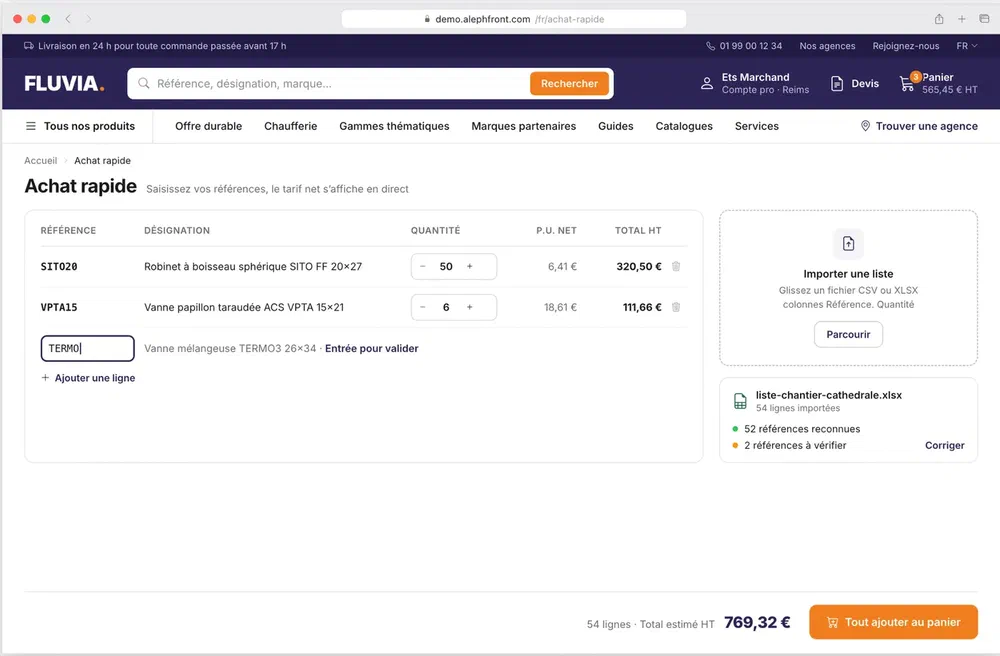
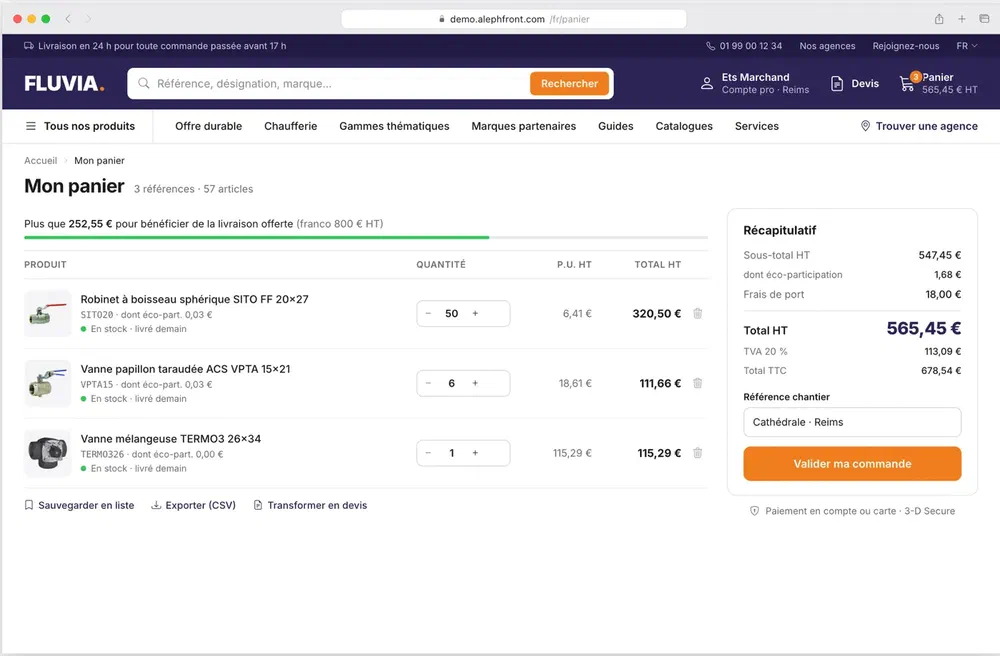
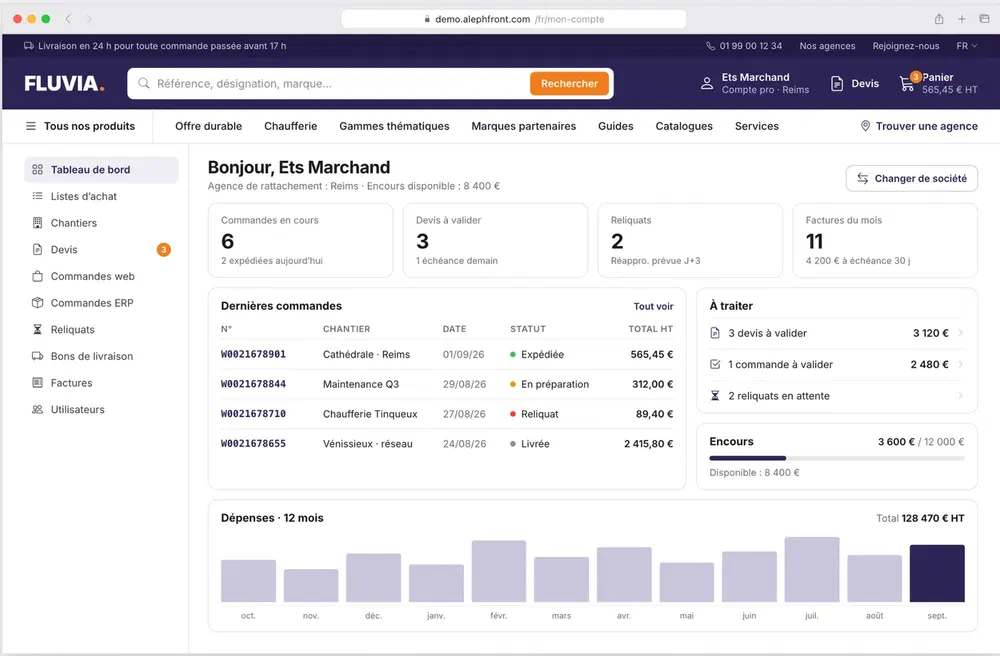
ANOM Core
The layer between your front ends and your back-end systems. It exposes one API that reads from and writes to Intershop, the ERP, the CRM, the PIM and the search engine, so the front end stays independent of each of them.
Channels
ANOM PWA, Microsoft Teams app, Vue.js front end, any custom front end
ANOM Core
Unified data model for products, orders and customers; front and back APIs; search integration; generated APIs
Back-end systems
Intershop Commerce, ERP, CRM, PIM
| Usual set-up | With ANOM Core |
|---|---|
| APIs scattered across systems | One data model |
| Business logic spread everywhere | Orchestration in one place |
| Front end tied to the back end | Front end can be replaced |
| Every integration written by hand | APIs generated from the model |
ANOM Search
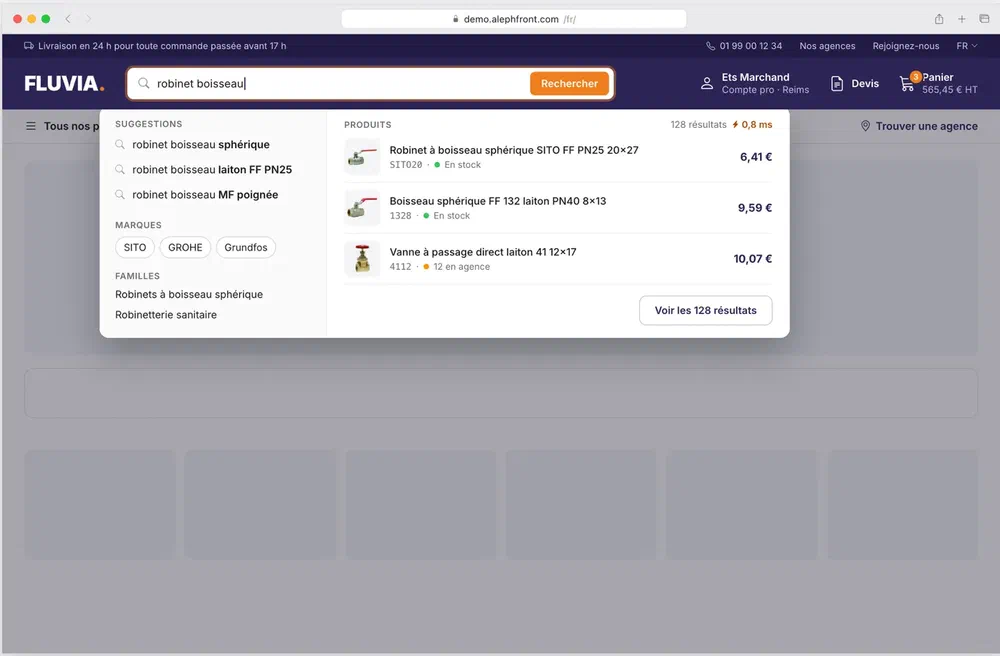
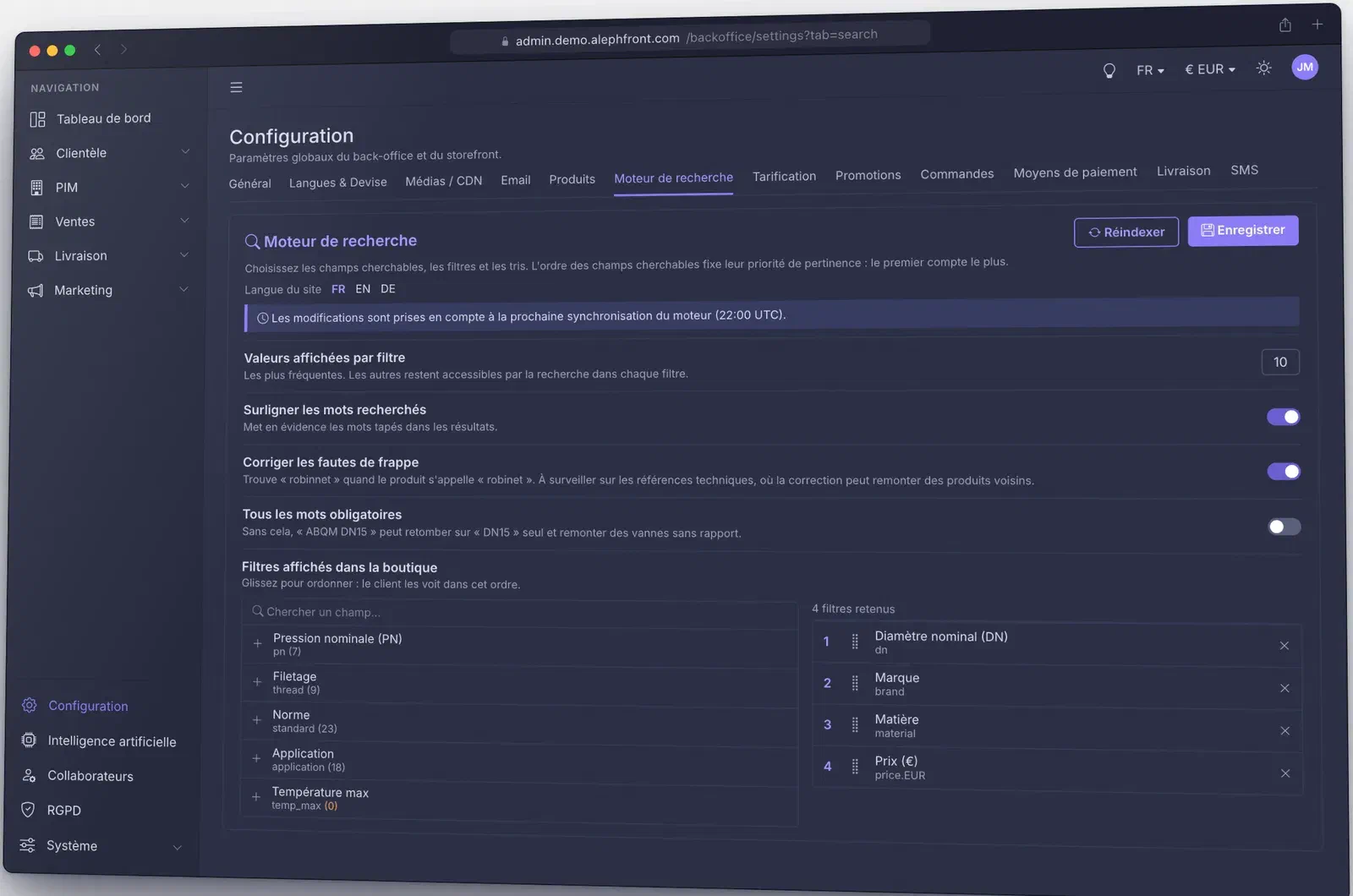
Multilingual product search with one index per language. Buyers find a product by reference or by name, even with a typo, and facets count the way they expect: a facet never narrows its own options.
- Speed
- About 83 µs per query, measured on the engine alone with a 25,000-product catalogue
- Search
- Reference and name, typo tolerance, synonyms, filters, sorting, variants grouped under their parent product
- Relevance
- Fields and their priority set from a screen in the back-office
- Languages
- French, English and German today, one index per language
- Freshness
- Nightly sync with the catalogue, rebuild on demand, index kept in memory
- Payload
- Search responses cut from 127 kB to 10.7 kB
ANOM PunchOut
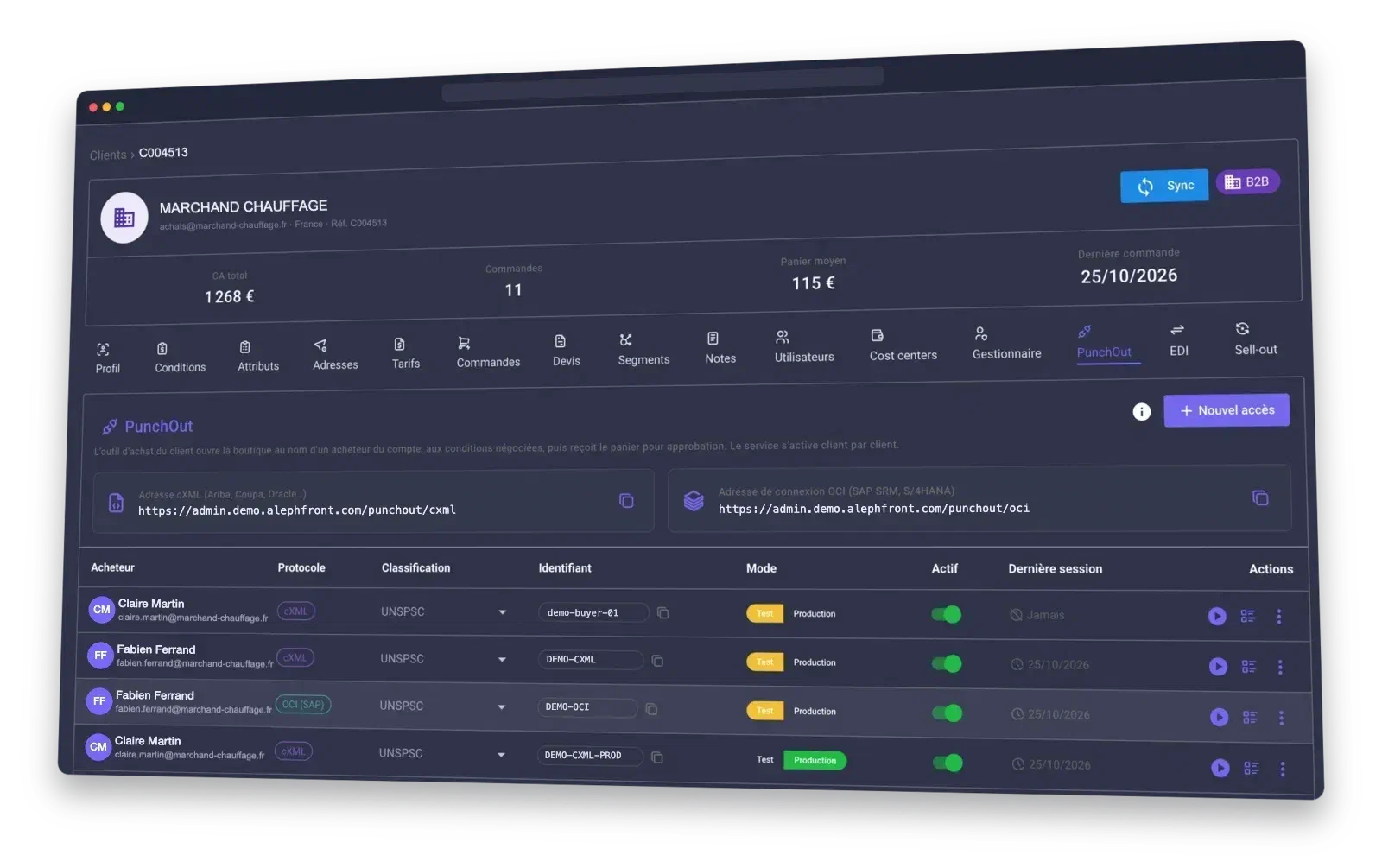
Your buyers open your catalogue from inside their procurement suite, shop at their negotiated prices and send the cart back for approval. The approved purchase order comes back to ANOM as an order. Built on the cXML and OCI standards used by SAP Ariba, Coupa, Oracle, Jaggaer, Workday, SAP SRM and S/4HANA.
- Standards
- cXML for most procurement suites, OCI 4.0 for SAP. From SAP, buyers can also open a product page, recheck a price and its availability, or search the catalogue without leaving SAP
- Prices
- Each session runs as a named buyer of the customer account. Prices are recalculated at the negotiated terms when the cart is transferred, eco-participation included, so the approved total matches the invoice
- Cart rules
- Minimum quantities and order multiples are enforced before the transfer. A transferred cart can be reopened to edit it or to view it
- Purchase orders
- Approved orders follow the normal process: approval rules, cost centres, payment on account. A purchase order sent twice never creates a second order, and the buyer can change or cancel it until a parcel has left
- After the order
- Order confirmations, a ship notice per parcel, invoices and credit notes go back to the procurement system. Any document can be re-sent from the log
- Classifications
- Every cart line carries a code: UNSPSC by default, ETIM or your own classification per access. A data check lists the products on sale without one
- Delivery and SAP fields
- The procurement system's delivery-location numbers map to the customer's addresses, with the default address as fallback. Fixed SAP fields and unit-of-measure mapping per customer
- Access
- Activation per customer and per buyer, test or production per access. In test, purchase orders are checked and answered but no order is created. A log of every exchange and a built-in simulator
ANOM EDI
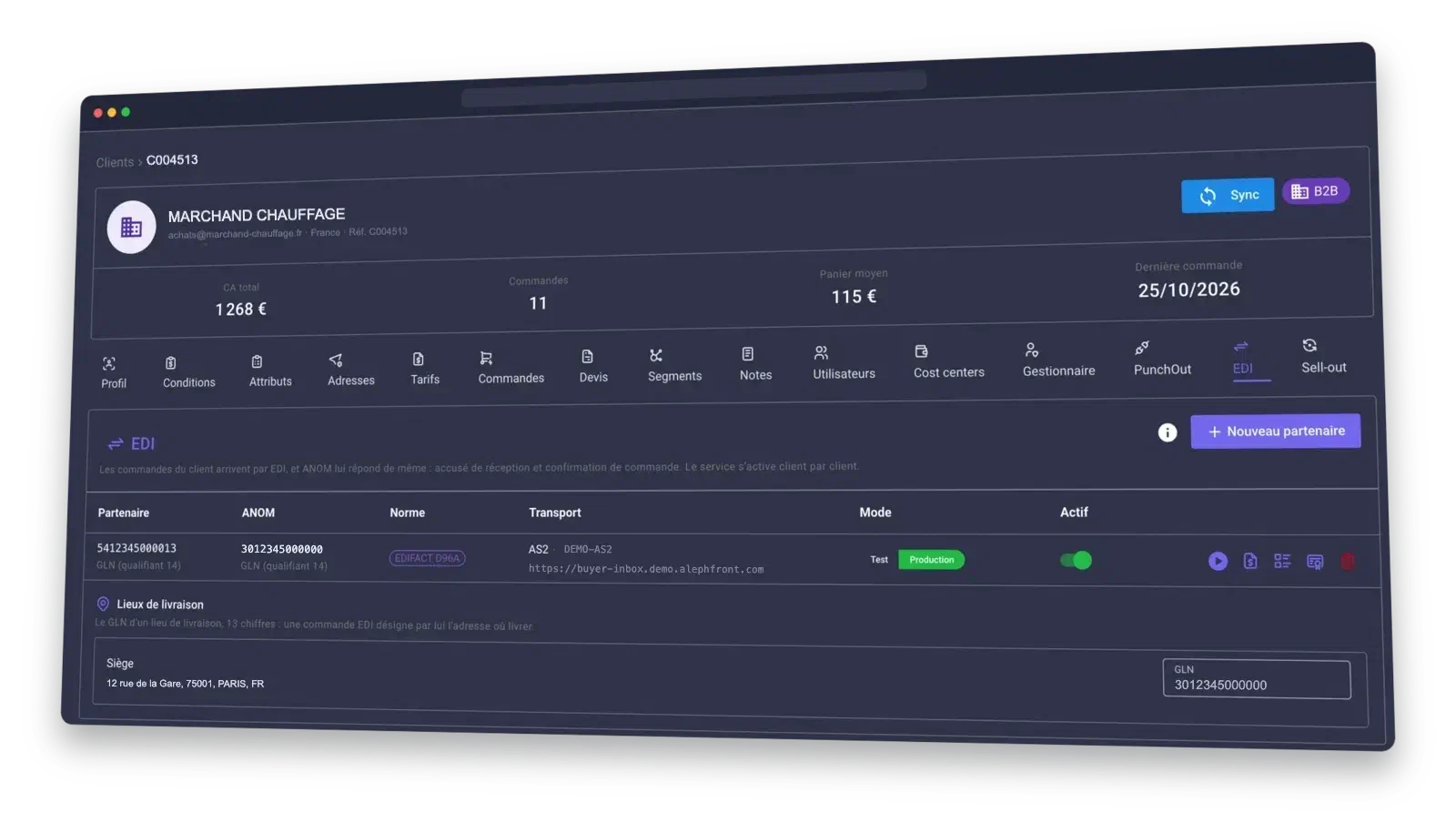
Orders arrive from your trading partners' systems and ANOM answers in kind, with no retyping on either side. Partners are declared per customer and switched on one at a time.
- Standard
- UN/EDIFACT D.96A, with an optional EANCOM subset
- Received
- Purchase orders (ORDERS), sales reports (SLSRPT) and syntax acknowledgements (CONTRL)
- Sent
- An acknowledgement for every file (CONTRL), the order response with the reason for any refusal (ORDRSP), despatch advice per shipment (DESADV), and the catalogue at the customer's own prices (PRICAT)
- Transport
- AS2. Every incoming message is signed, checked against the partner's certificate and acknowledged with an MDN. A message sent counts as delivered only when the partner's signed MDN confirms it
- Identifiers
- GS1 GLN with check-digit verification. Each delivery address carries its own GLN, and items are matched by EAN or by product reference
- Traceability
- Every message is kept exactly as received or sent, fingerprinted and unalterable, with its status from receipt to delivery
- Test mode
- Orders from a test partner are checked and answered, flagged as tests, and no order is created. A simulator plays the partner's system end to end
- Sell-out
- Distributors report what they resold, by file or by EDI. ANOM estimates stock cover per product and point of sale, and flags what to reorder
ANOM CDN
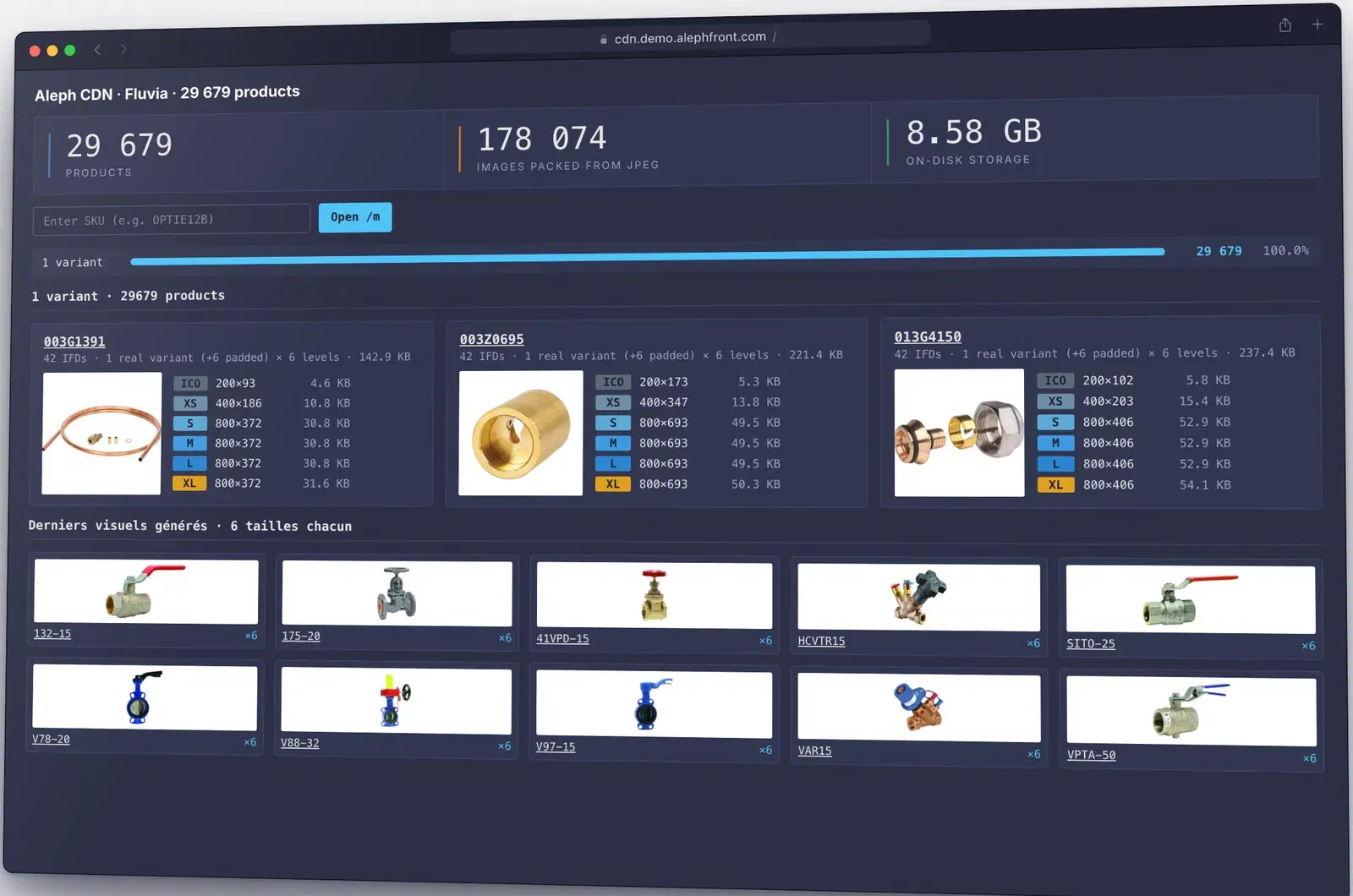
Everything needed to show and sell a product, behind stable links: photos, notices and structured data. Resellers and marketing tools can link to them directly.
- Images
- Up to 7 views per product, each generated in 6 widths from 200 to 3,000 px
- Notices
- One PDF notice per language
- Data
- Structured product data in JSON and JSON-LD
- Links
/img/‹view›/‹size›/‹sku› · /meta/‹sku› · /pdf/‹sku›/‹language›- Publishing
- Batch import or upload in the back-office. Every file is checked before it goes live, and changes are served at once.
ANOM Payments
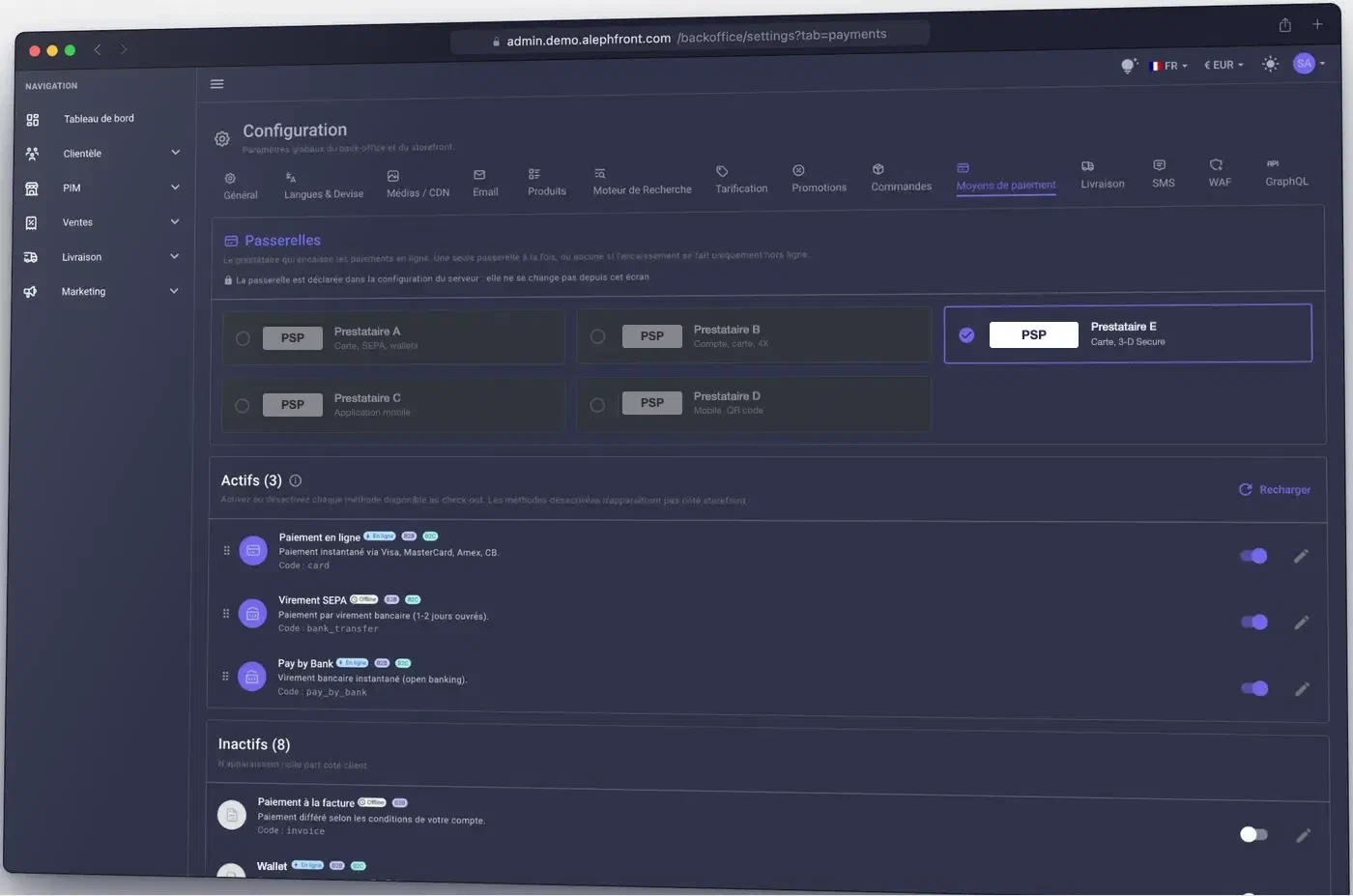
Every payment method a B2B customer expects, switched on or off at checkout without development. Nothing is created while the buyer types a card number: the order and the payment exist only once they press Pay, so a declined card never leaves a ghost order behind.
- Methods
- Card with 3-D Secure, payment on account, bank transfer, direct debit, payment at the counter.
- Card
- The order is created on payment and cancelled automatically if the bank declines, keeping invoice numbers in an unbroken sequence. A scheduled safety net clears payments abandoned midway.
- Approvals
- For orders that need approval, funds are reserved first and captured once the order is approved.
- On account
- Invoice payment with each customer's terms, for example 30 days net. The due date is printed on the invoice.
- Credit limit
- Set per customer account. Payment on account depends on the available credit and on the account not being blocked.
- Documents
- Deposit invoices before shipment and refunds, each issued as its own invoice.
- Set-up
- A back-office screen lists the payment methods offered at checkout and their order.
ANOM SMS
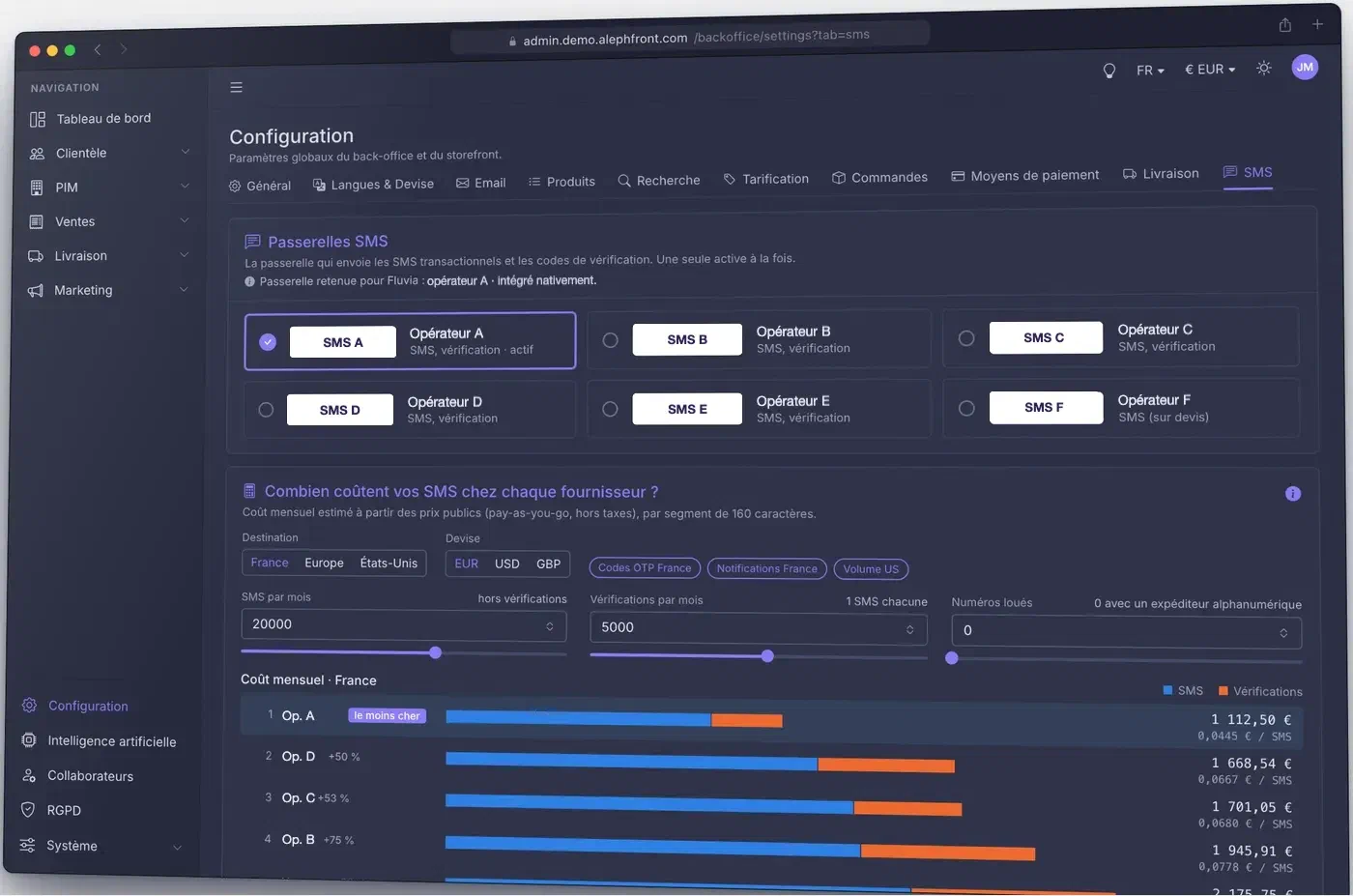
Transactional text messages out of the box: verification codes, order tracking and back-in-stock alerts. SMS is the channel professionals read on site, so it has to be reliable and its cost under control.
- Messages
- Two-factor and verification codes, order tracking, back-in-stock alerts.
- Gateways
- Several gateways integrated. Switching to another one needs no redeployment.
- Cost
- A built-in comparison of what each gateway would charge for your volume and countries.
ANOM Nullgate
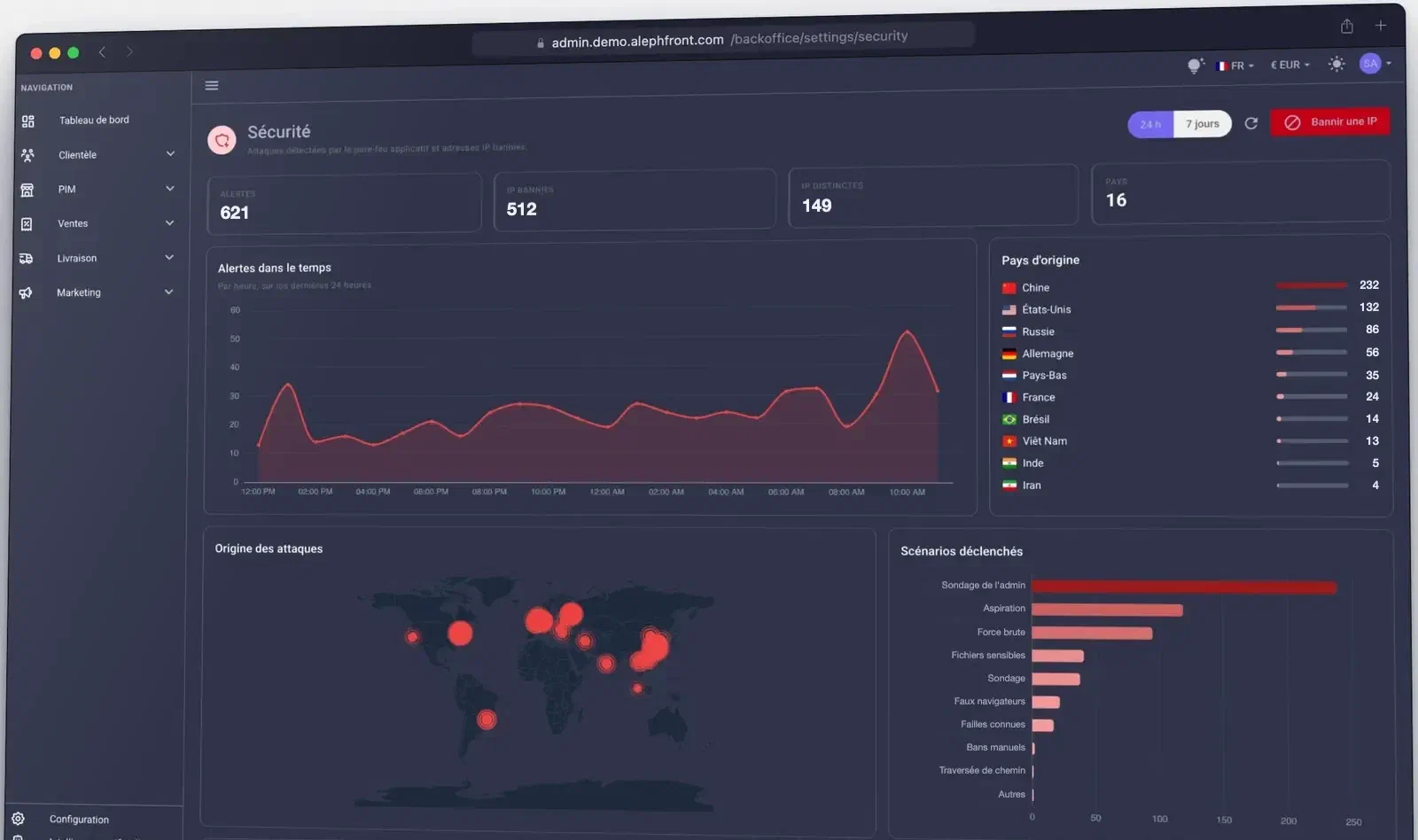
ANOM Nullgate is our web application firewall (WAF). On a typical B2B shop, most traffic is not buyers: it is bots, scrapers and vulnerability scanners. Nullgate drops that traffic before it reaches the application. Its rules update themselves and a live dashboard shows what was blocked.
- Blocked
- 148,000+ malicious IP addresses
- Rules
- Threat intelligence feeds, GeoIP, ASN filtering
- Added latency
- None at the application
- Filtering
- Probes of the admin area, requests for sensitive files and fake browsers are stopped before they reach the platform
- Bans
- Automatic for malicious addresses, or one click from the back-office
- Visibility
- Alerts, countries of origin, triggered scenarios and active networks over 24 hours or 7 days
ANOM Shopdesk
ANOM Shopdesk, formerly ICS, connects to the Intershop back end. Each ticket shows the order, live stock and suggested replacement products, so support can settle a claim and make a sale in the same step.
- Pricing
- Fixed price, unlimited agents
- Messaging
- WhatsApp integration
- Data
- Claim workflows, GDPR compliance, data hosted under your control
B2B features on Intershop
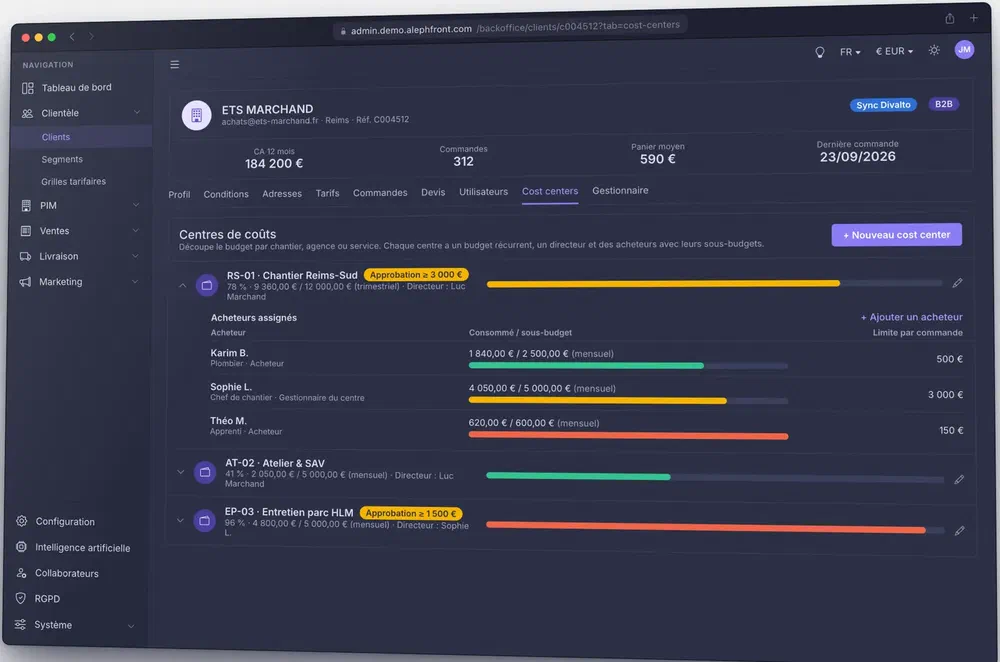
What we set up on Intershop for companies that buy for a team: budgets, approvals, quotes and net prices, without custom code.
- Company accounts
- Administrator, cost-centre manager and buyer roles under one company account.
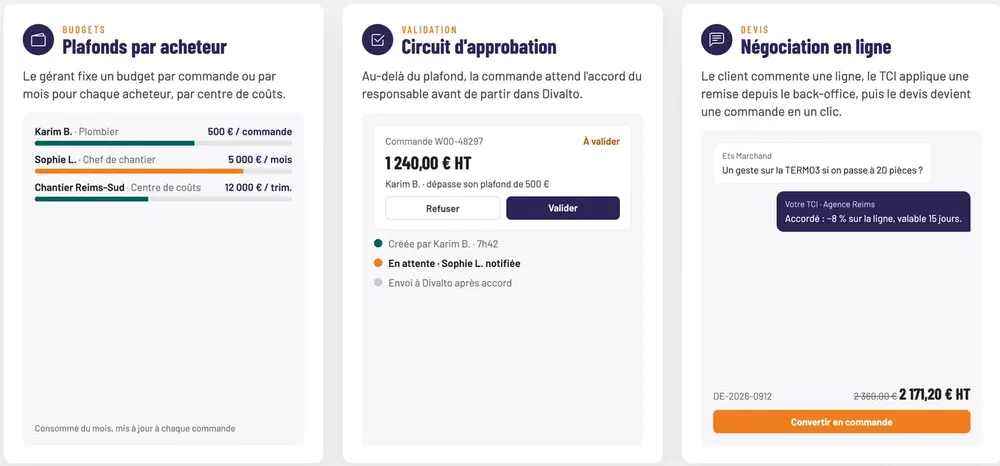
- Budgets
- A limit per order or per month for each buyer, and a budget per cost centre. The manager is notified when one is exceeded.
- Approvals
- Above a threshold the order waits for approval. Five triggers: order limit, buyer budget, personal budget, cost-centre threshold, cost-centre budget.
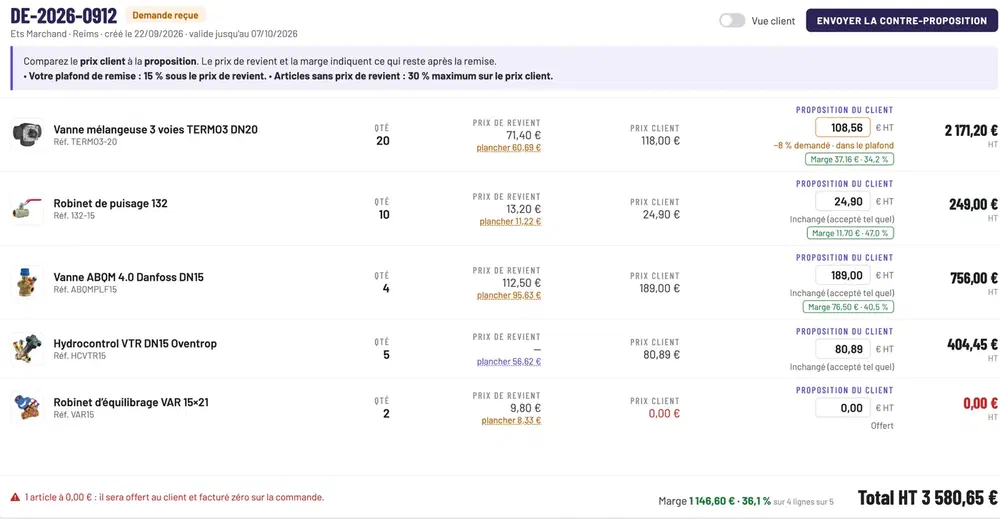
- Quotes
- The buyer comments on a line, the sales rep sees cost price and margin before agreeing to a discount, and the quote becomes an order in one click.
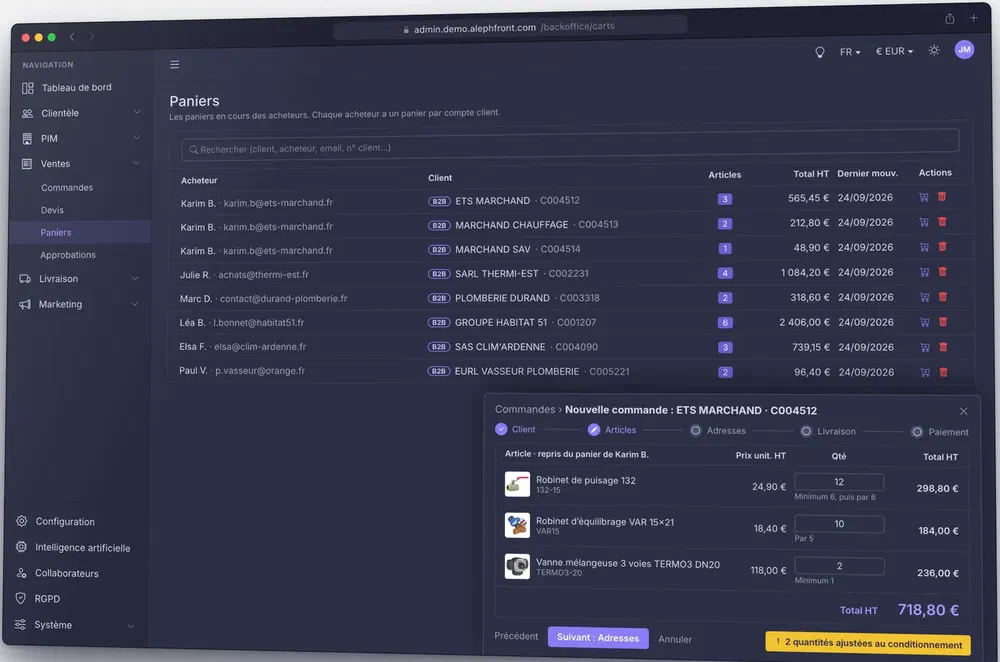
- Open carts
- Sales reps see buyers' carts in progress and turn them into orders, for example after a phone call. Quantities follow packaging rules.
- Net prices
- A price list per named customer, segment or everyone, with quantity tiers and validity periods.
- PunchOut
- OCI and cXML: the buyer fills the cart in your catalogue from SAP, Ariba or Coupa and sends it back for internal approval.
- Back-office access
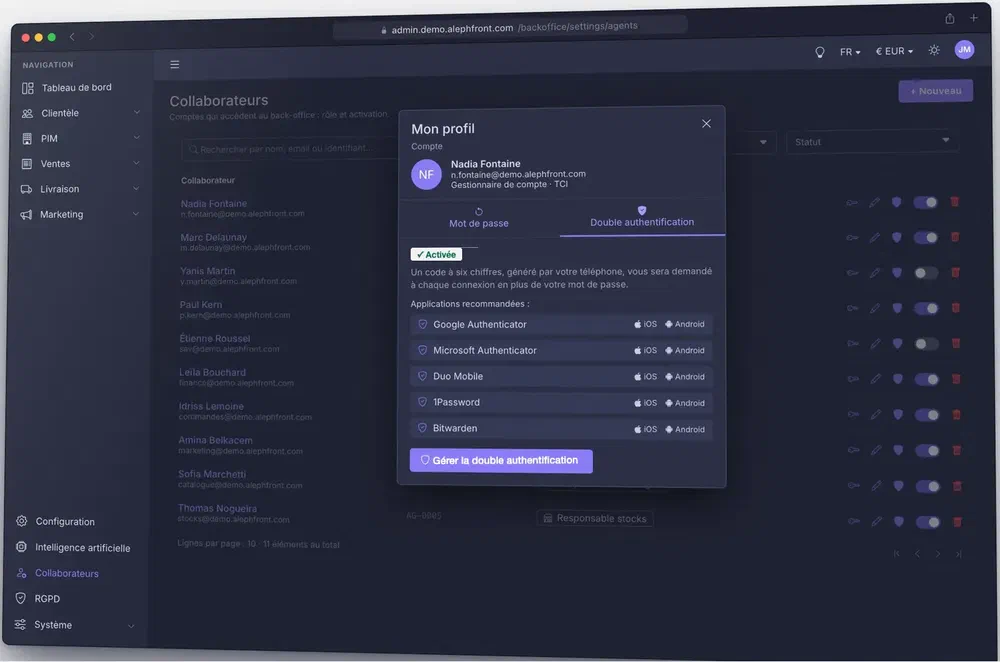
- A role per job: sales, customer service, finance, catalogue, stock. Two-factor authentication with six-digit codes. An account is disabled in one click, history kept.
Assistant and co-browsing
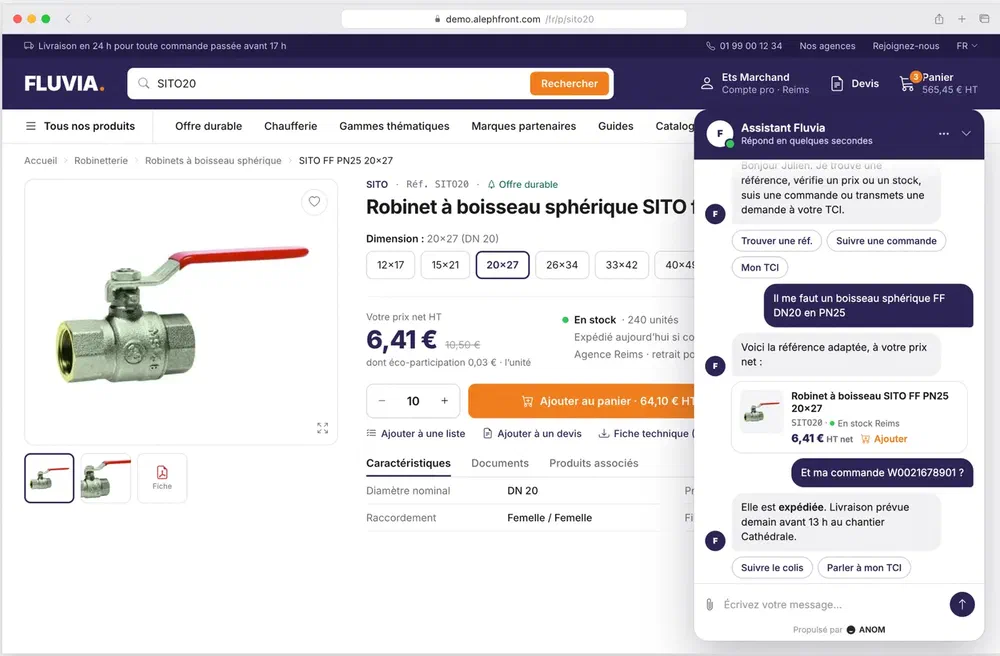
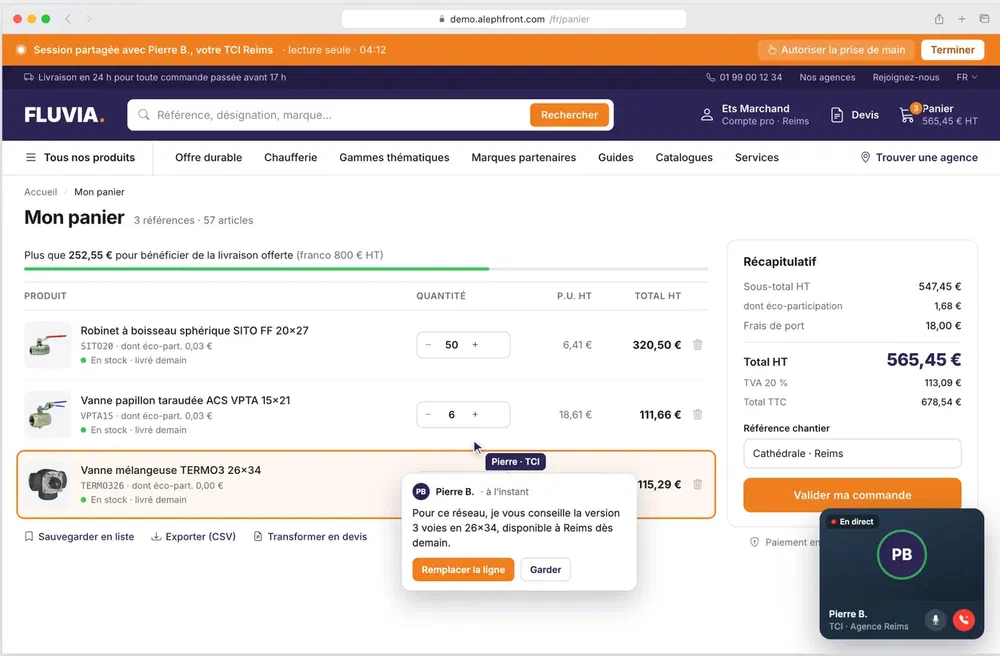
The counter, online. Buyers ask questions in a chat that knows their account, and a sales rep can join their screen to help build an order.
- Assistant
- Product advice, order tracking and a request to the sales rep, in one conversation. It knows the buyer's net prices, branch and history, and hands over to a person when needed.
- Co-browsing
- The sales rep sees the buyer's screen from the browser, with nothing to install. Shared cursor, highlighted lines, and remote control only with the buyer's explicit consent.
- Privacy
- Read-only by default, every session logged, GDPR compliant.
A new connector in 72 hours
Once four things are ready for the test environment, we deliver a connector to a new system within 72 hours.
- API documentation
- An up-to-date OpenAPI specification or request collection: endpoints, schemas, error codes and rate limits.
- Credentials
- A client ID and secret, or an API key, for testing, with the scopes the flows need.
- Allow-listing
- Inbound access opened to our fixed IP addresses, which we send at kick-off.
- Test data
- Accounts, products and orders in pre-production that cover normal and error cases.
- Typical systems
- Marketing automation, logistics, customer reviews, company registries, EU VAT checks, messaging.
Hosting and operations
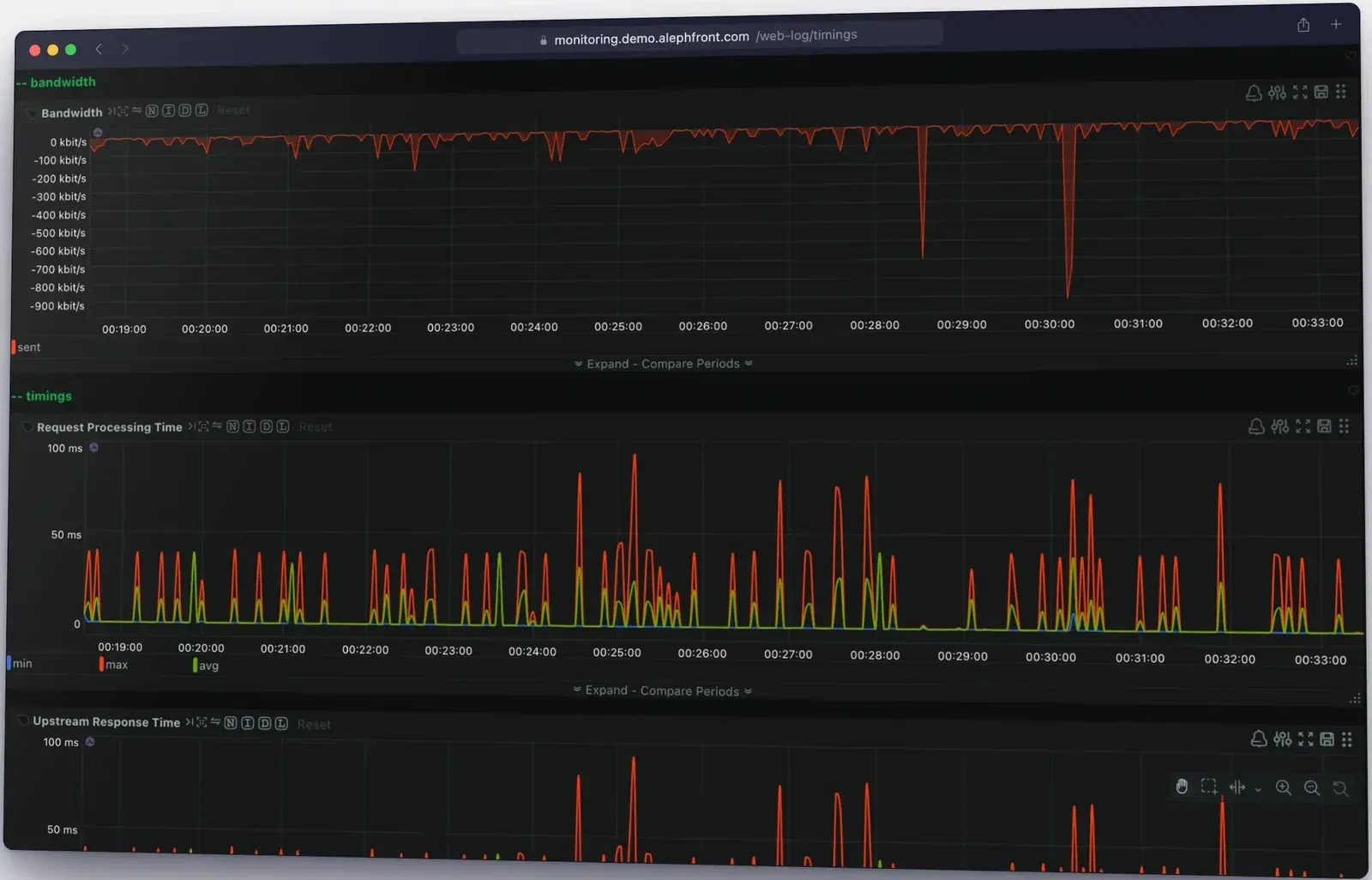
We host, watch and back up the platforms we build. A slowdown is caught and handled by our team before it turns into a lost order.
- Monitoring
- More than 400 indicators measured every second. An alert reaches our team as soon as one leaves its normal range.
- History
- Kept to compare two periods, for example before and after a release or a campaign.
- Traffic
- Response time and unusual traffic by country, without third-party analytics.
- Backups
- The 3-2-1 rule: three copies on two kinds of storage, one kept offline. A backup every 15 minutes, encrypted at rest, with restores tested regularly.
- Hosting
- In the European Union. Data, database, backups and logs stay in the same zone, fixed in the contract.
- Sovereignty
- Providers not subject to the US Cloud Act, with your own encryption keys on top. SecNumCloud-qualified hosting is available as an option.
- Access
- Support and operations are run from Europe.
Discovery and gap analysis
We map your platform, integrations and business rules against Intershop. You get a plain account of what maps directly, what needs an architecture decision and what needs custom work.
Architecture
Front end, integration layer and data migration, designed for performance and for the people who will maintain it.
Build
ANOM PWA and ANOM Core cover the core commerce features in weeks. The rest of the time goes to your front end, integrations, data migration and business rules.
Launch and run
Testing, SEO migration, performance checks and go-live. The same team stays fully on the project for six to eight weeks after launch, then provides support, with ANOM Nullgate on the traffic and ANOM Shopdesk for customer service.
We also handle headless PWA storefronts, migration to Intershop, PIM integration, ERP and back-end integration, performance work and support and maintenance.